Records stop at department boundaries
Support, IT, operations, and employee service lose continuity when each handoff moves into a different queue or application.

FyneDesk for enterprise teams
Standardize support and internal service work across teams without forcing every department into one queue. Add governance, identity, workflow, reporting, and workforce controls as the operation grows.
Scale control, not tool sprawl
Support, IT, operations, and employee service lose continuity when each handoff moves into a different queue or application.
Approvals, access, changes, evidence, and service targets become extra documents instead of part of the work.
Fragmented tools make it difficult to compare demand, ownership, workload, delays, and recurring service issues.
A practical expansion path
FyneDesk connects tickets, requests, changes, assets, projects, contacts, knowledge, approvals, reporting, and workforce tools while preserving team-level queues and visibility boundaries.
Standardize connected service work
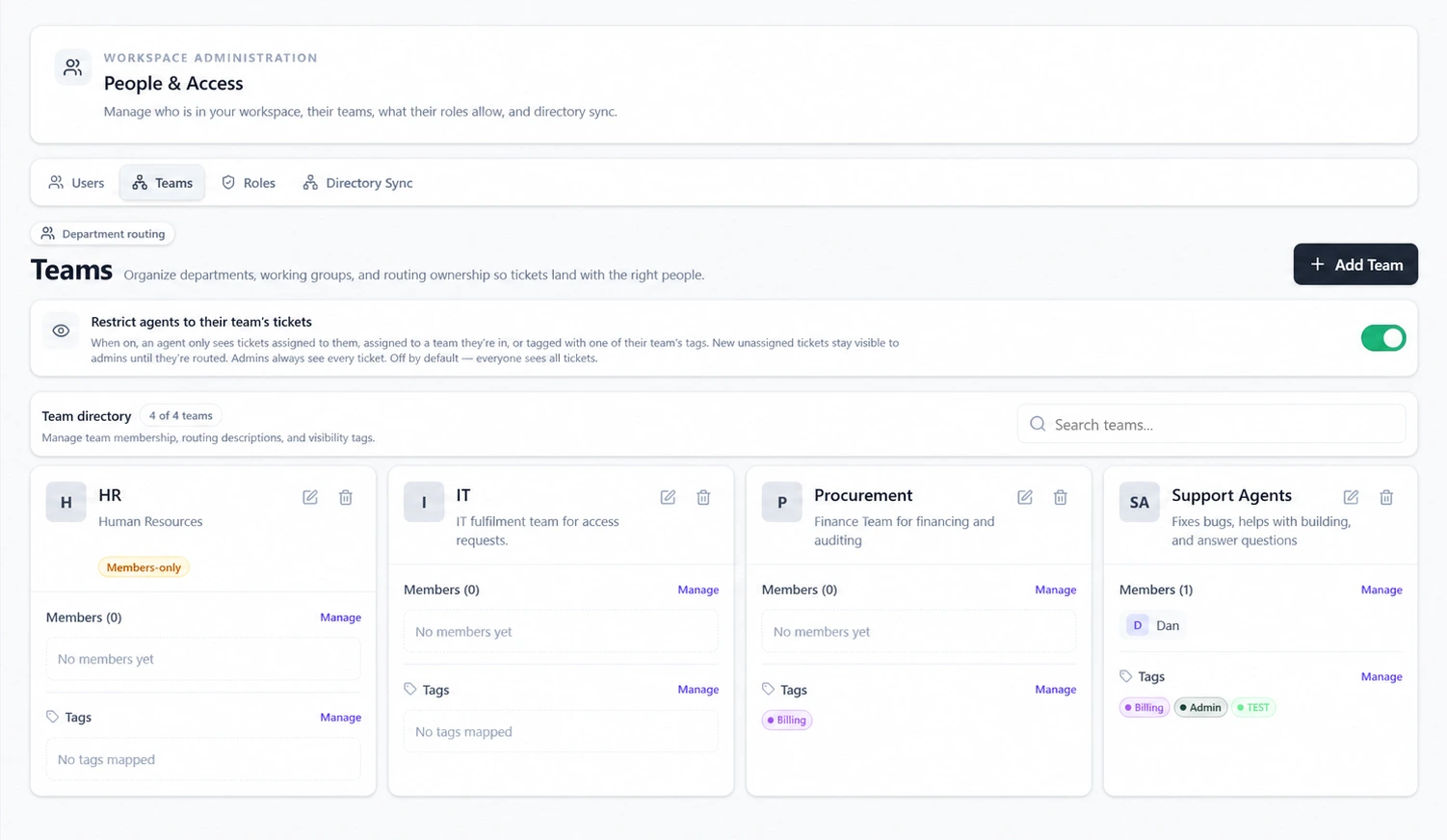
Customer support, IT, HR, Finance, Facilities, Operations, and client-facing teams can share a platform while keeping ownership and visibility scoped to the right people.
Govern the work in motion
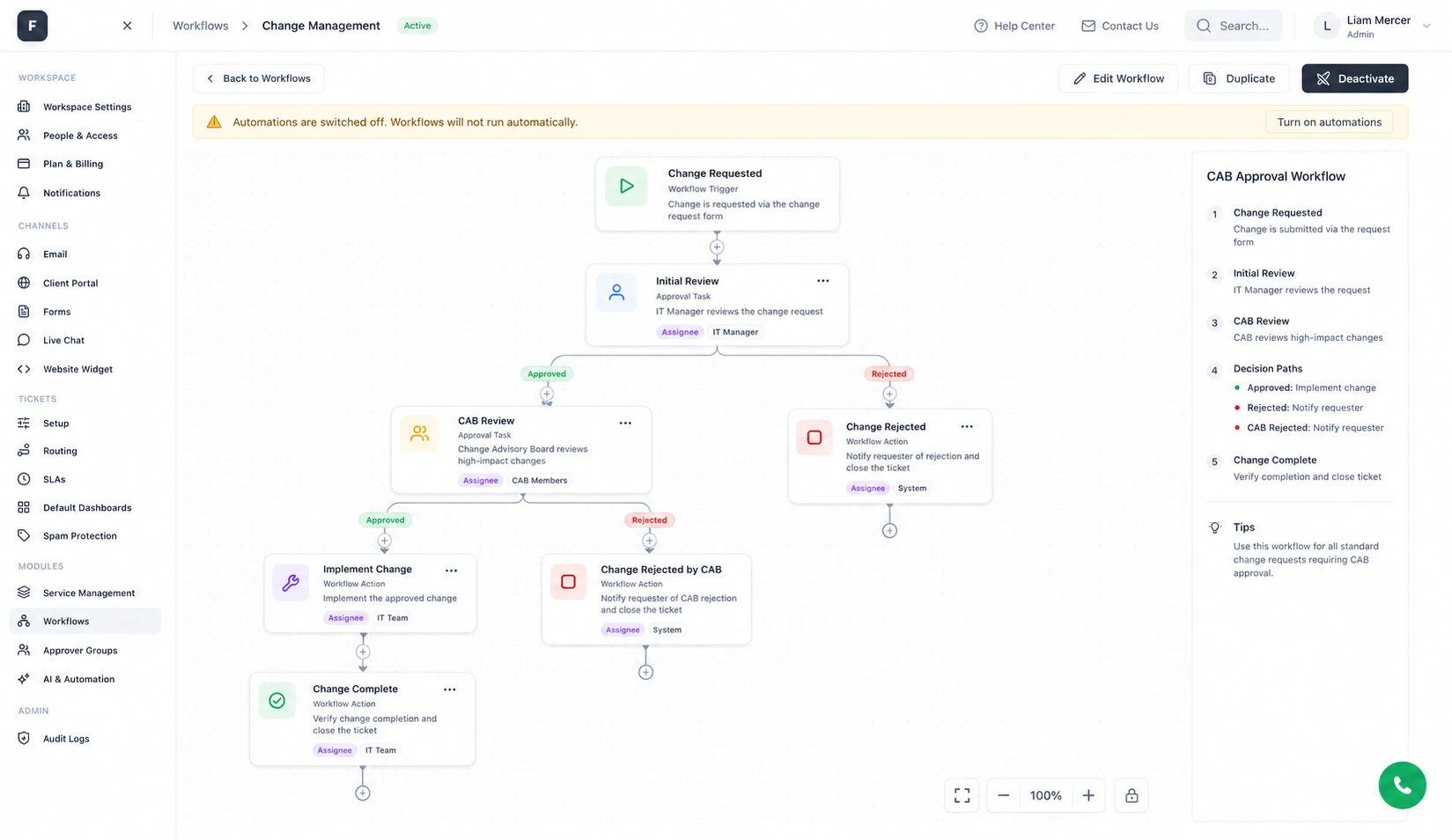
Business workflows carry service work through visible stages, human decisions, connected actions, and an execution history.
Operate with evidence
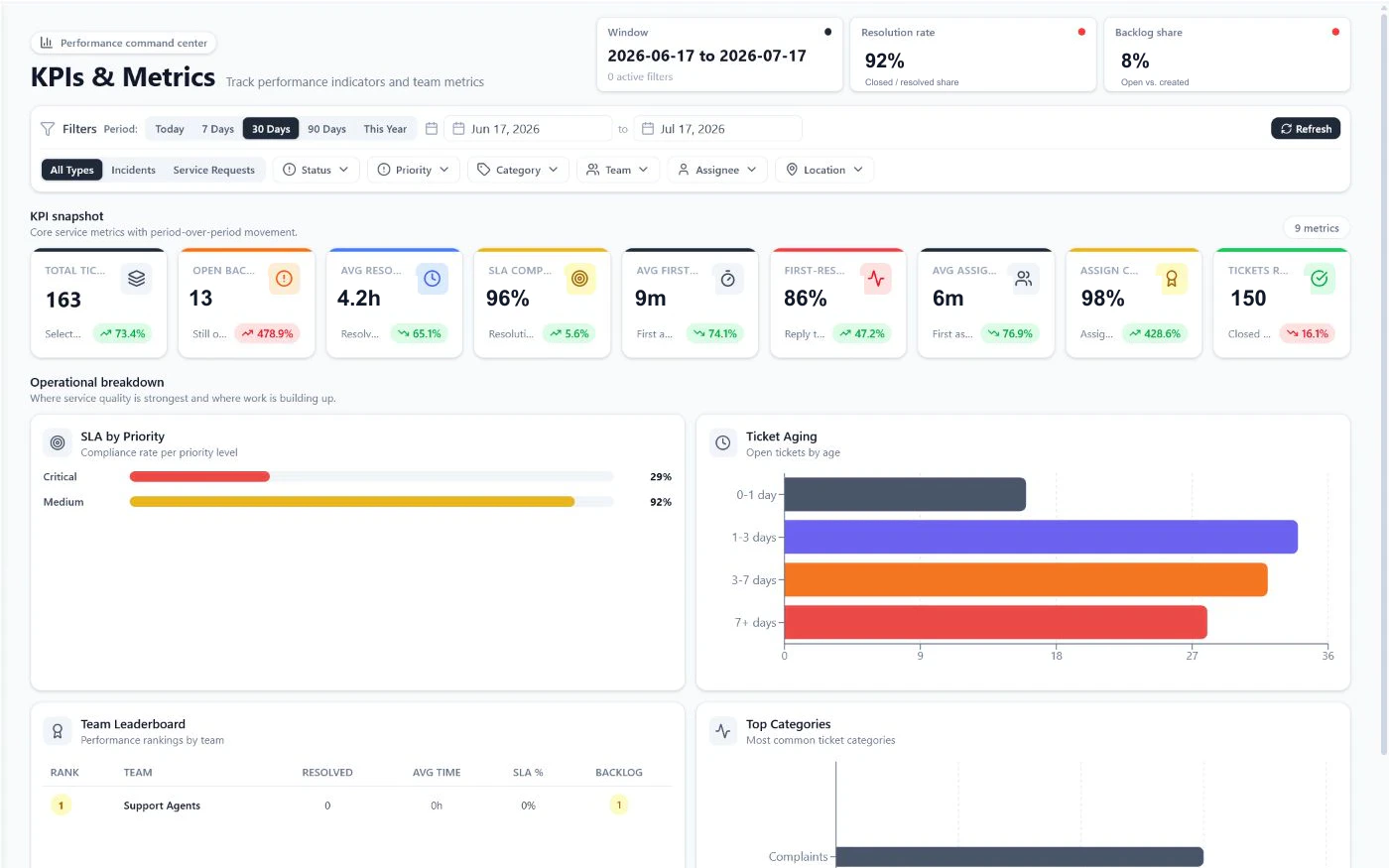
Use reporting, KPIs, SLAs, knowledge insights, project context, asset history, and Business workforce controls to understand both demand and delivery.
Verified product scope
FyneDesk publishes which plan introduces each layer of control. Teams can validate the service desk first, then add governance, identity, workforce, and advanced administration on Business.
Compare plansFrequently asked questions
Yes. Team-based visibility can scope agents to work assigned to them, their teams, or mapped team tags. Administrators retain oversight, and restricted teams support tighter internal boundaries.
Business includes enforced SAML SSO and advanced administration. Enterprise adds SCIM provisioning, Auditor access, and extended audit visibility. Organizations should review their exact identity-provider and provisioning requirements with FyneDesk before rollout.
Yes. A common path is to establish one support or service queue, import the relevant history, configure routing and service targets, and then extend the same platform to additional departments.
Yes on Business. The visual workflow system supports stages, conditions, approvals, actions, waits, readers, web requests, and execution history. Starting processes cover change, access, onboarding, offboarding, and procurement.
Review the published Security and Privacy page, then talk with FyneDesk about identity, data handling, integrations, migration, administration, and contractual requirements specific to the organization.
Plan the rollout around real service work
Talk with FyneDesk about departments, identity, migration, workflows, integrations, administration, and the service records that need to stay connected.
Plan the rollout around your service, identity, and governance requirements.