
Your customers are reaching out.
Are you keeping up?
Emails pile up. Messages get missed. Customers wait days for a response. FyneDesk gives your team one place to own every request, keep the work connected, and follow up clearly. Pro adds drafts grounded in approved knowledge for agent review; Business can auto-resolve confident routine requests.
Customer request
Delayed subscription renewal
Queue
FyneDesk checks approved knowledge articles and similar resolved tickets before agents respond.
Read on G2“The automation features make it much easier for me to keep my clients up to date on progress and problem resolutions.”
Sound familiar?
Multiple people check the same inbox. Some requests get answered twice, others not at all. Nobody knows who is handling what.
They emailed three days ago. Nobody responded. Now they are frustrated and you are scrambling to find the original message.
How many requests came in this week? What is the average response time? You are guessing because nothing is tracked.
Customers keep asking the same things. Your team types the same answers every day instead of pointing people to a single source of truth.
Password resets, order checks, and routine questions crowd the queue. Pro AI Autopilot drafts answers from your knowledge base; Business Auto Resolve can close confident repeat tickets.
What changes with FyneDesk
Every customer request from every channel lands in one place. Each one gets an owner, a status, and a history. Spam management keeps the queue cleaner, advanced roles keep access controlled, and Business workflow and workforce tools help managers run the operation as the team grows.
Five features built for busy customer queues
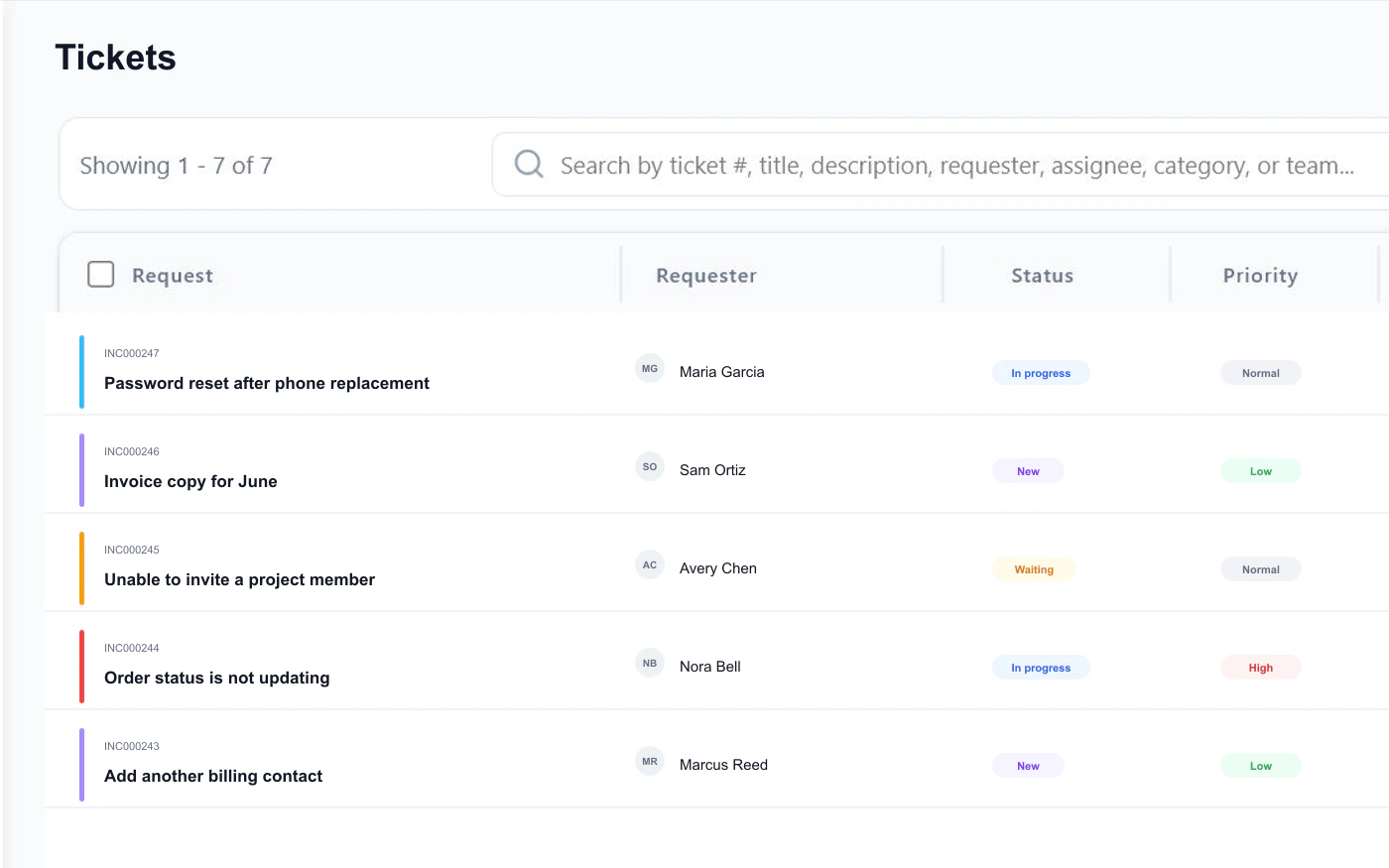
Customer Request Intake
Customers send login issues, billing questions, bug reports, and account requests to your FyneDesk support address. Each email becomes a tracked request with priority, owner, and history.
Queue Routing
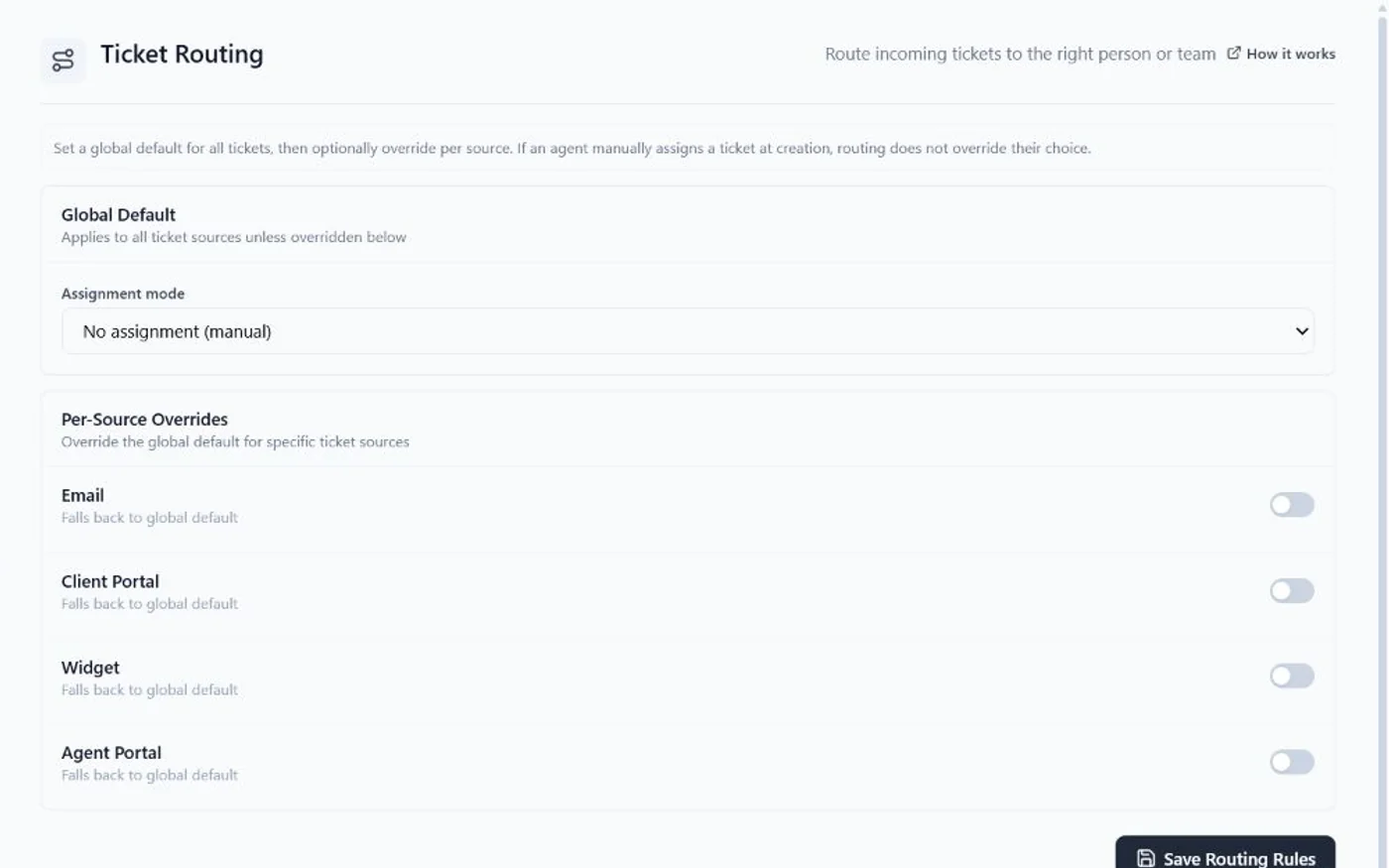
Send billing questions to the billing queue, technical issues to support specialists, and urgent requests to the right team. Route by source, category, priority, or round-robin.
Customer Help Portal on Pro
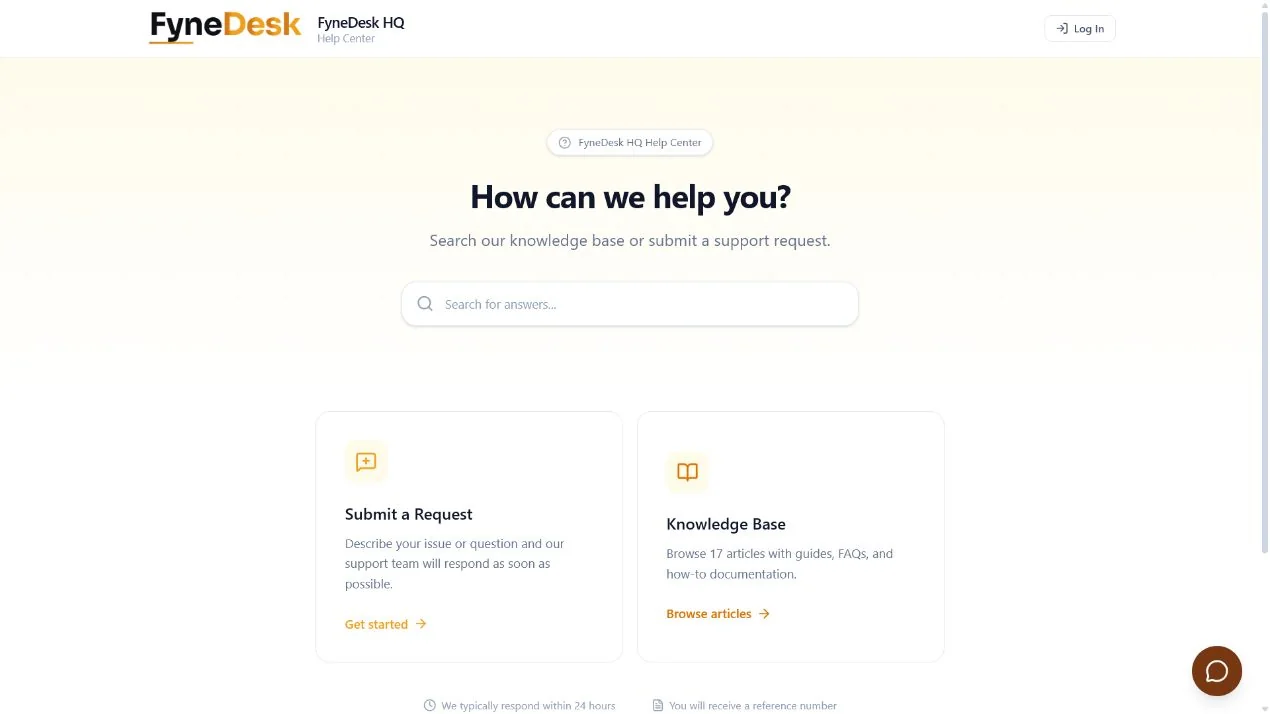
On Pro and Business, give customers a branded place to submit issues, sign in, check status, and search help articles. This gives customers a direct status path and keeps submission and self-service together.
AI Reply Drafting
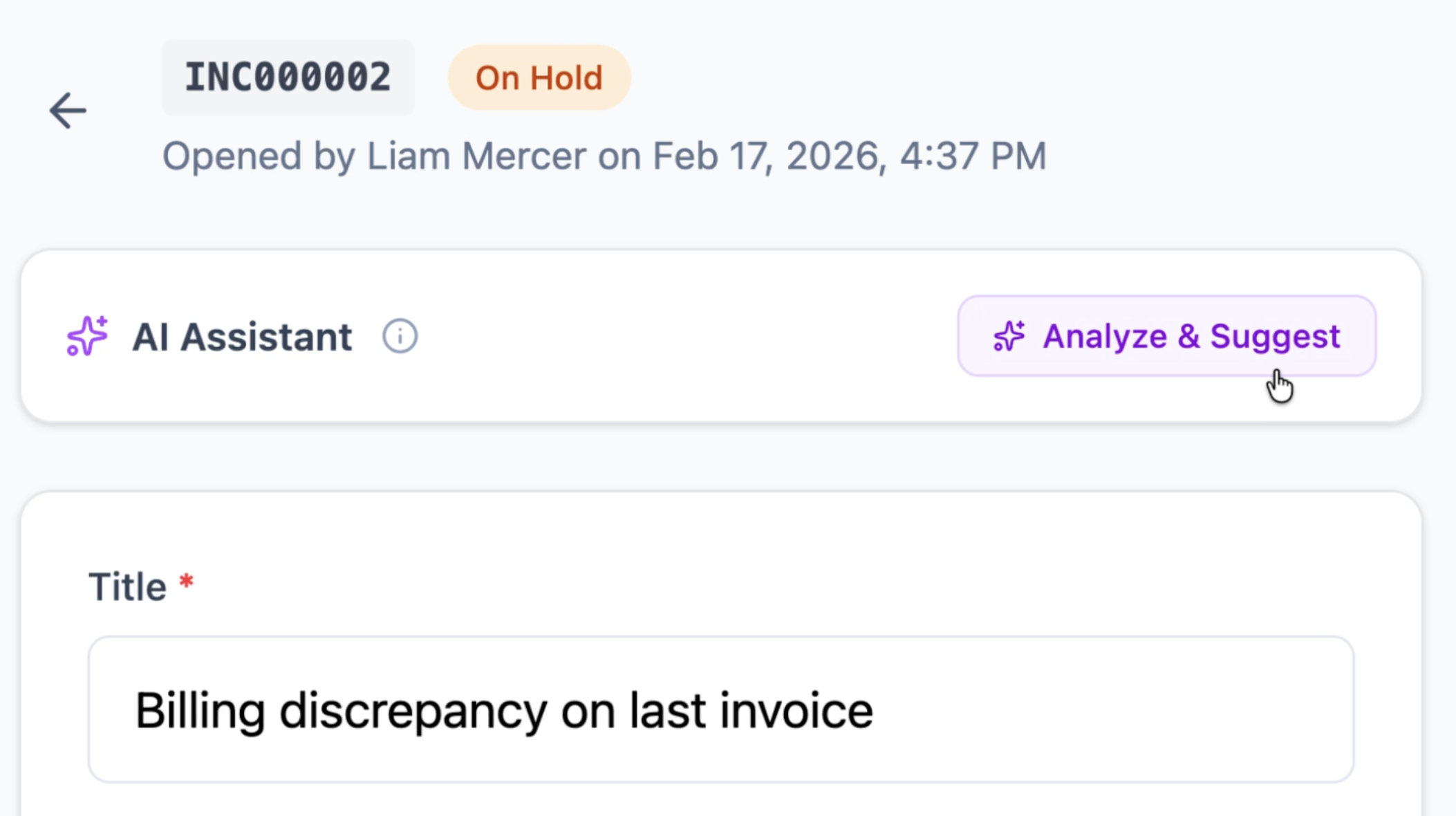
Pro AI Autopilot checks approved help articles and similar resolved customer tickets before drafting a cited reply. Business Auto Resolve can answer confident routine questions and close the ticket.
Customer Help Center
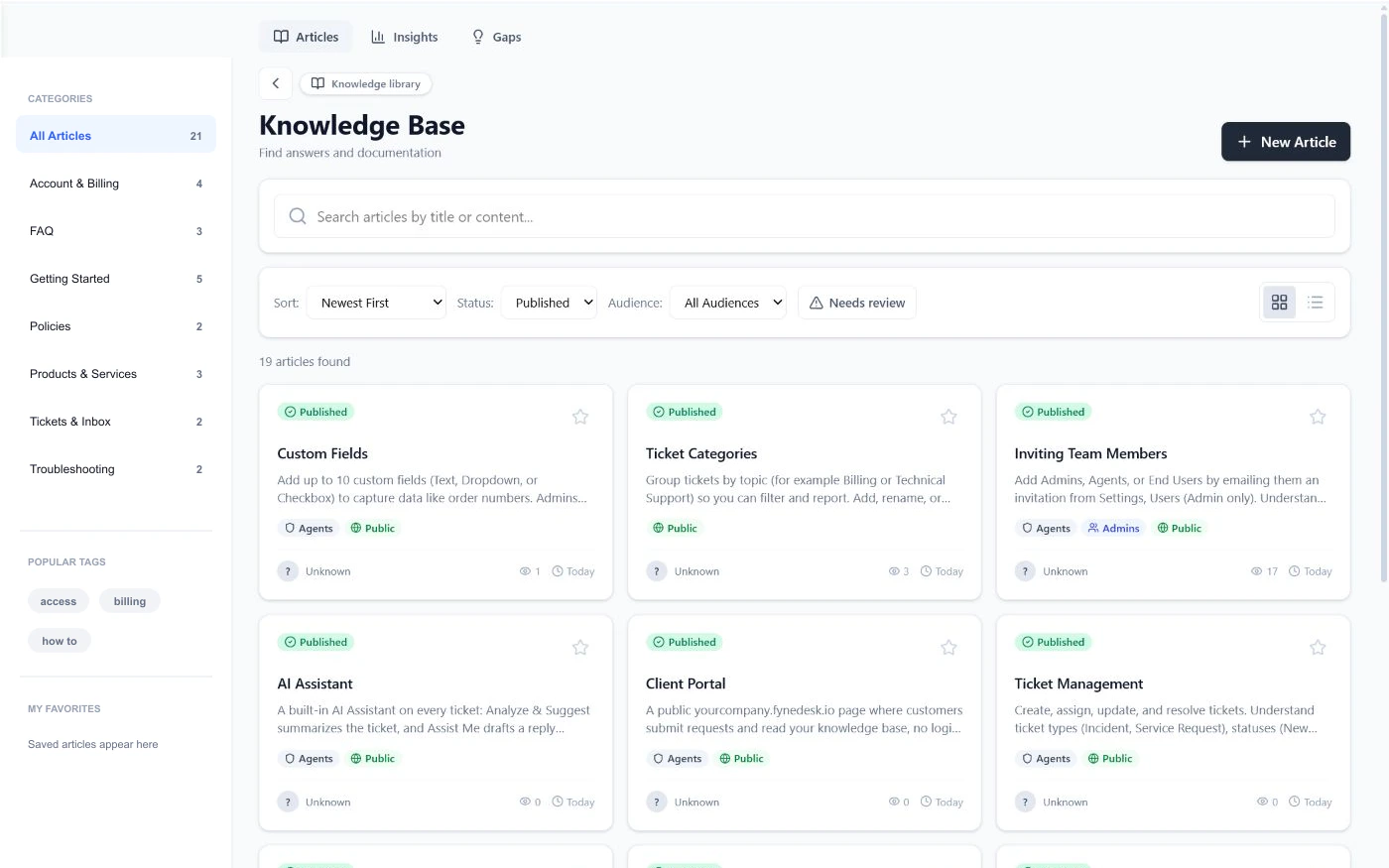
Publish answers for billing, login, setup, troubleshooting, and product questions. Customers self-serve through the portal, and AI uses approved articles plus past tickets to keep replies accurate.
How it works
Requests come in
Customers email your support address, submit a form on your portal, or use the widget on your website. Every request gets a number, a priority, and an owner.
AI and routing handle triage
Routing rules assign requests to the right agent or team. Pro AI Autopilot checks your knowledge base and past resolved tickets, then drafts a reply so agents respond faster with full context.
Self-service reduces volume
Customers check their own status and search your help articles on the portal. Your dashboard shows open requests, resolution times, and team performance.
Frequently asked questions
What is customer support software?
Customer support software is a platform that helps teams receive, organize, track, and resolve customer requests from email, web portals, and other channels in one place. Instead of scattered inboxes and sticky notes, every request gets a number, an owner, and a status.
Is FyneDesk free for customer support teams?
Yes. FyneDesk has a Free plan that includes ticket management, email-to-ticket, knowledge base, dashboard analytics, and AI assistance. See pricing for details. The Client Portal starts on Pro.
Can my customers submit and track their own requests?
Yes. Pro and Business include a branded Client Portal where customers can submit new requests, sign in, check existing ticket status, and search help articles. Free keeps the public knowledge base, but not portal submission or ticket tracking.
How does AI help my support team?
AI summarizes incoming requests, checks approved knowledge articles and similar past resolved tickets, then drafts replies for agents to review. On Business, confident routine matches can be auto-resolved.
Does the AI cost extra?
AI access follows the plan structure and visible plan allowances. Drafting starts on Free, Pro adds AI Autopilot for agent-reviewed answers, and Business includes Auto Resolve for confident routine requests. Check pricing for current allowances.
Can I switch from Zendesk or Freshdesk?
Yes. FyneDesk supports CSV import for contacts and ticket data. See how switching works →for.customer-support.faq.items.switch.aAfter
Give your support team the tools they deserve
Sign up in under a minute. Keep every customer request tracked, give every agent more context, and add the controls your support operation needs as it grows.
Free plan available.