Answers stay inside old tickets
Agents solve the same question repeatedly because the useful explanation never becomes a reusable article.
Knowledge management
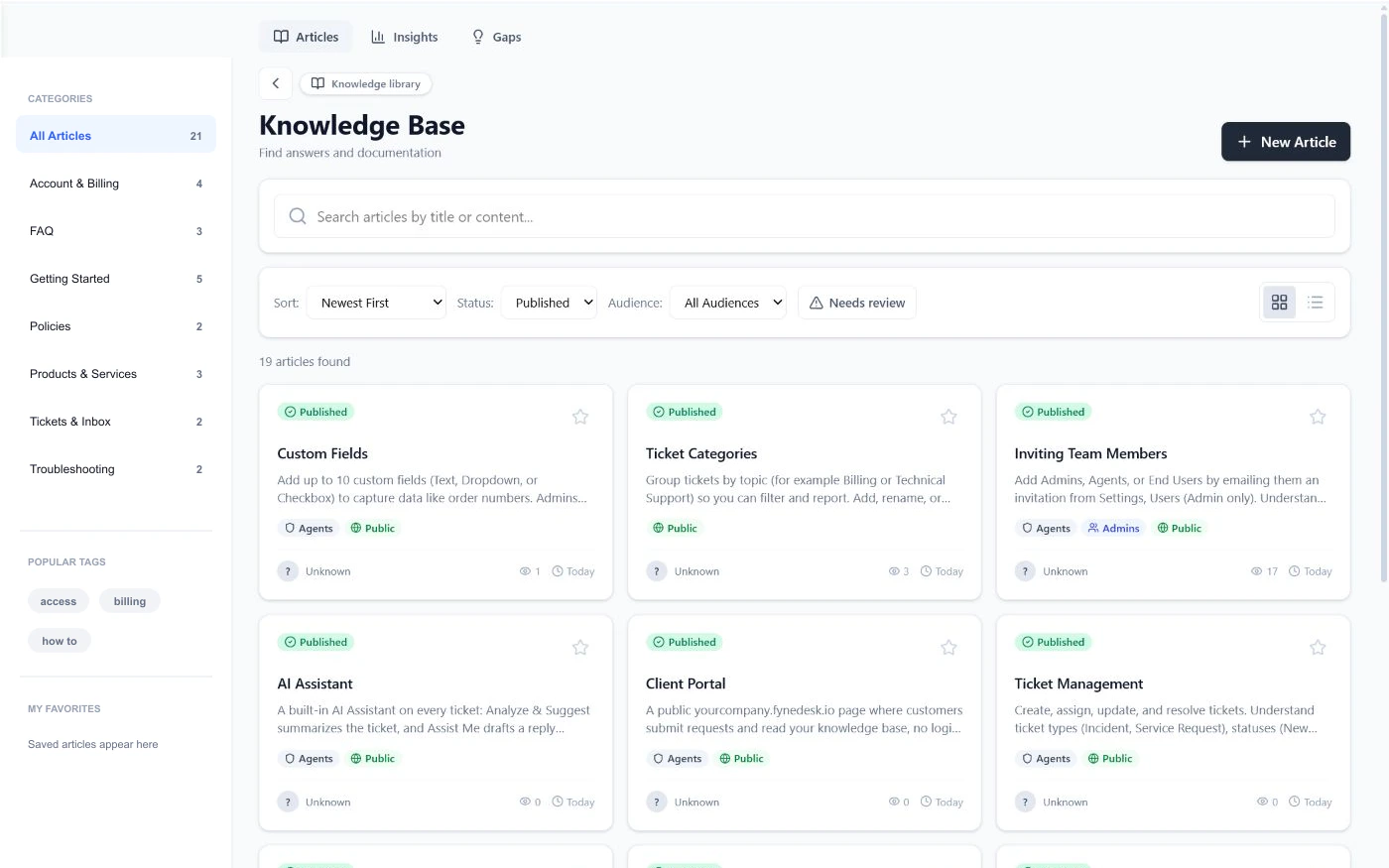
Build a searchable library for customers and agents, see which answers are helping, and use real support work to find the articles your team should write next.
Answers should compound
Agents solve the same question repeatedly because the useful explanation never becomes a reusable article.
Teams often learn about a documentation gap only after customers ask the same unanswered question again.
Without feedback, failed search data, and freshness signals, outdated content quietly remains in circulation.
A maintained knowledge loop
FyneDesk connects the article library to the support queue. Agents can turn resolved work into reviewed drafts, customers can search before opening a request, and knowledge owners can see what readers need next.
Build a useful library
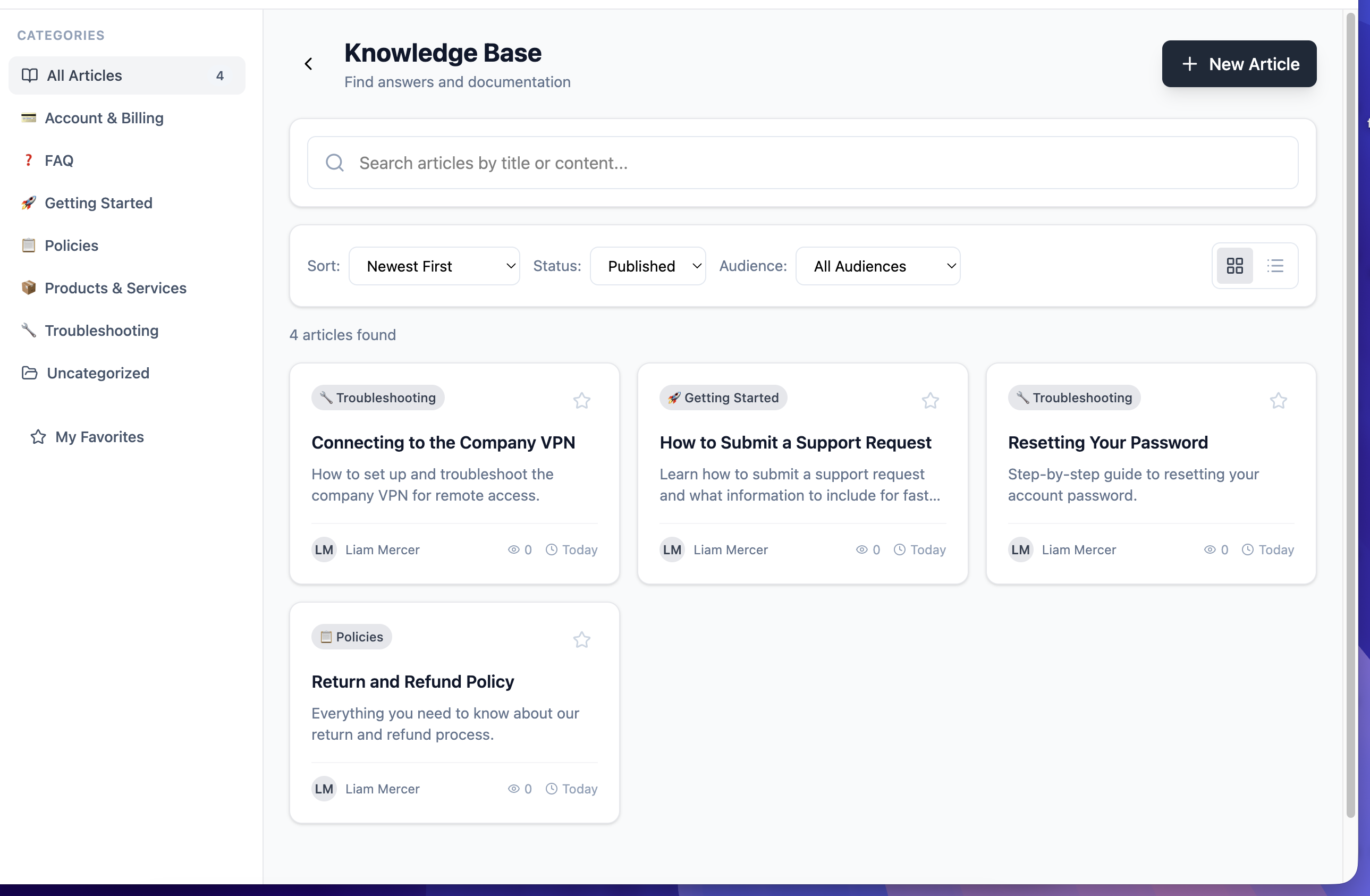
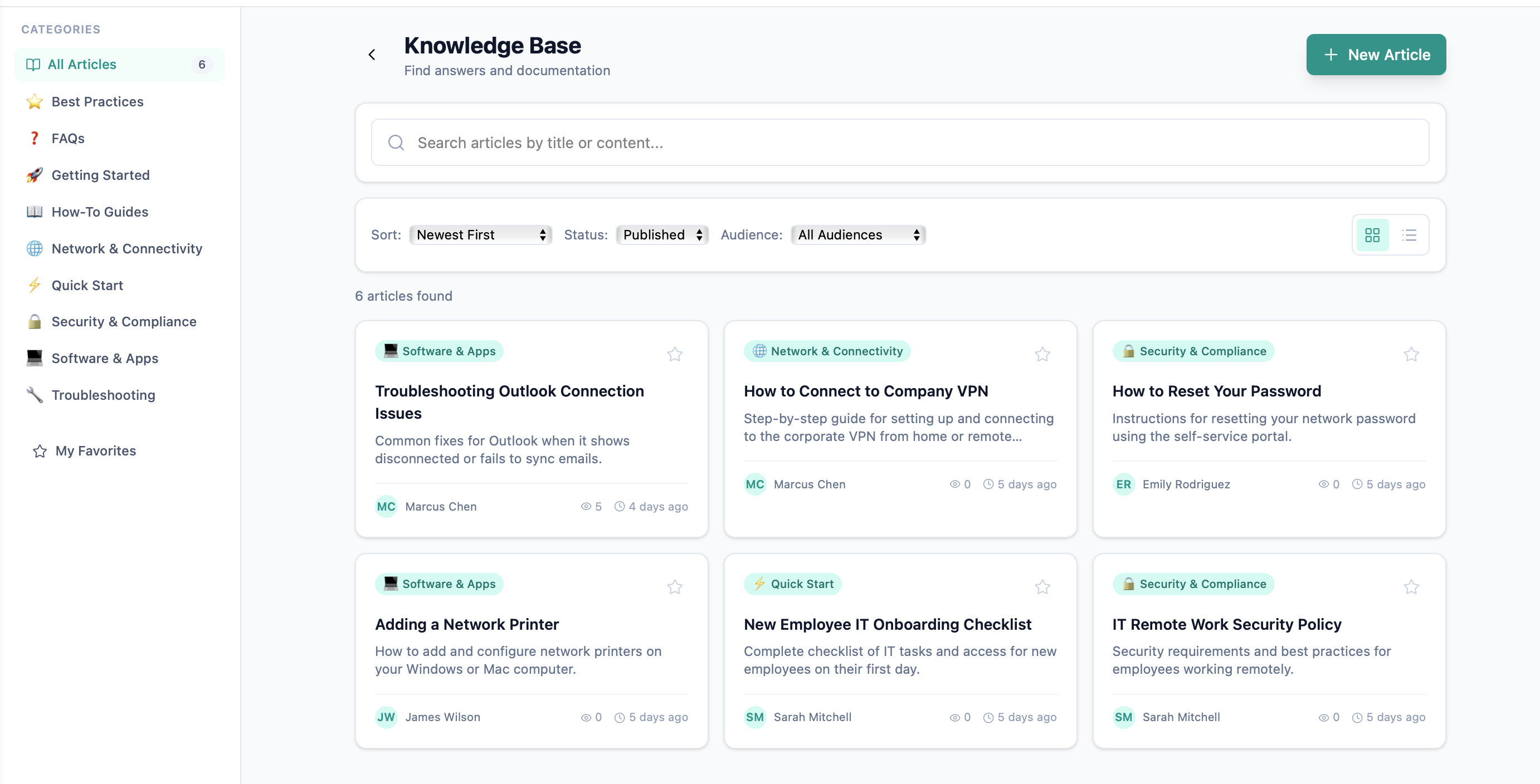
Create rich articles with clear ownership and visibility, then make them easy to browse in the workspace or customer portal.
Learn from support work
Use ticket outcomes and customer searches to decide what to document next. AI can prepare a structured draft while a person reviews and publishes it.
Keep knowledge healthy
Knowledge Insights gives owners practical signals instead of a made up health score, so the next maintenance decision is based on real behavior.
Verified product scope
Article creation, flexible visibility, portal publishing, search, feedback, and Knowledge Insights are part of the core service desk. Pro adds recurring knowledge gap analysis and AI Autopilot.
Compare plansFrequently asked questions
Yes. An article can be limited to agents, available to signed in customers, published publicly, or shared with anyone who has its link.
FyneDesk provides practical Knowledge Insights rather than a single opaque score. Owners can review popular articles, helpful feedback, negative comments, failed searches, and published articles that have not been updated in 12 months.
FyneDesk can prepare a structured draft from a resolved ticket and remove customer identifying details. A person reviews, edits, and publishes the article. Pro Knowledge Gaps can also group repeated unanswered questions and seed a draft from supporting examples.
Yes. The customer portal can expose searchable articles, categories, related content, and a request fallback when the answer is not available.
Yes. Published knowledge can be used to ground AI assisted ticket analysis and reply suggestions. Pro adds AI Autopilot, while Business adds Auto Resolve for eligible routine requests.
Make the next answer reusable
Start with searchable articles and insights, then add knowledge gap detection when repeated questions deserve a stronger workflow.
Free for up to 3 agents. No credit card required.