Nobody trusts the inventory
Spreadsheets go stale as equipment moves between people, offices, repairs, and storage.
IT asset management
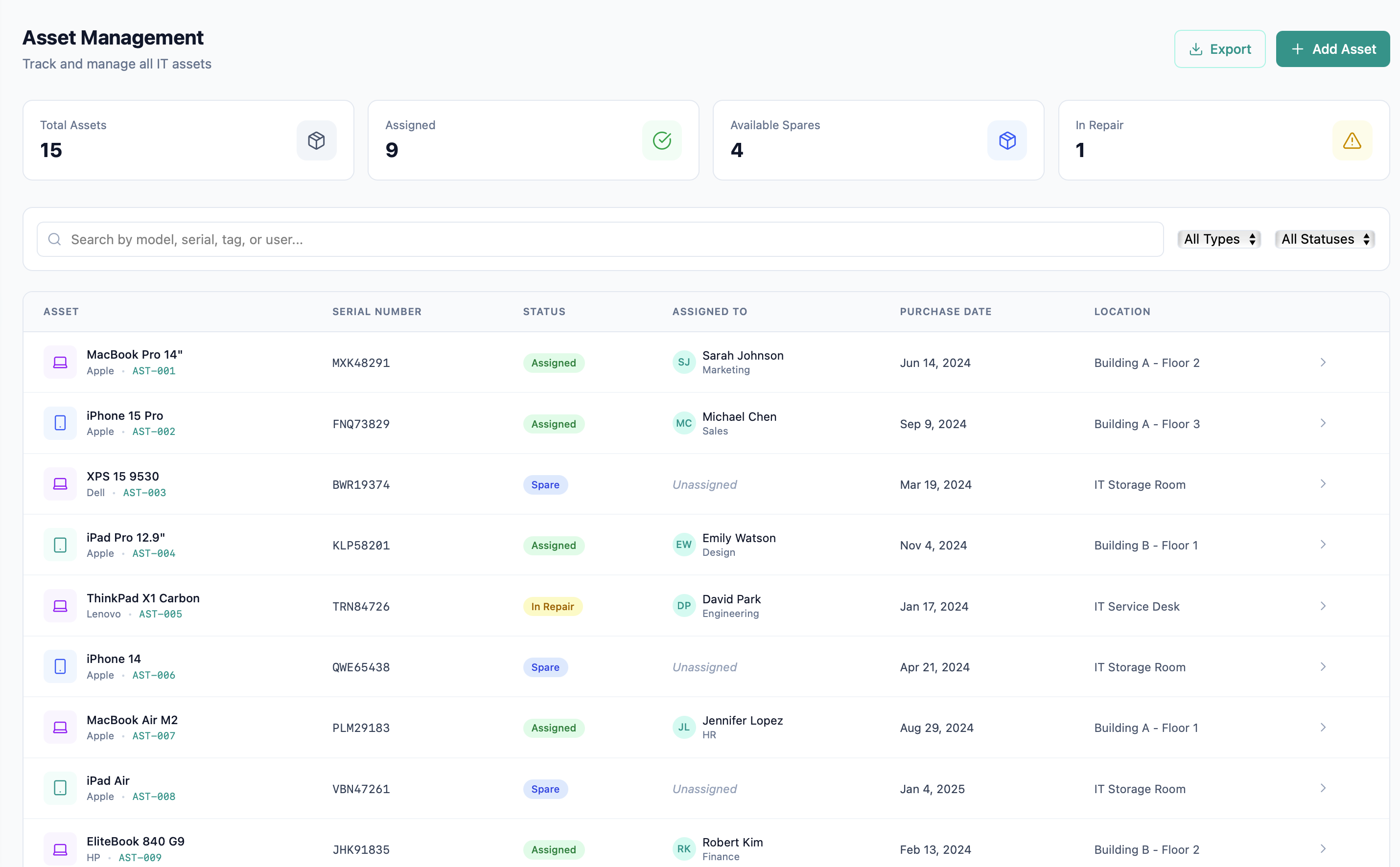
Keep equipment and service history together. Track each asset from inventory and assignment through repair, return, retirement, or disposal without maintaining a separate spreadsheet.
Beyond a device list
Spreadsheets go stale as equipment moves between people, offices, repairs, and storage.
A current assignee does not explain who had the device before, why it moved, or what condition it was in.
Teams lose days checking labels, reconciling exceptions, and proving which records should not be changed.
One operational record
FyneDesk gives every asset a searchable record with ownership, location, purchase and warranty details, activity history, related work, and controls for physical audits and sensitive inventory.
Build a reliable inventory
Create assets one at a time or import a spreadsheet, then organize them with types, custom fields, locations, statuses, and saved views.
Follow the custody trail
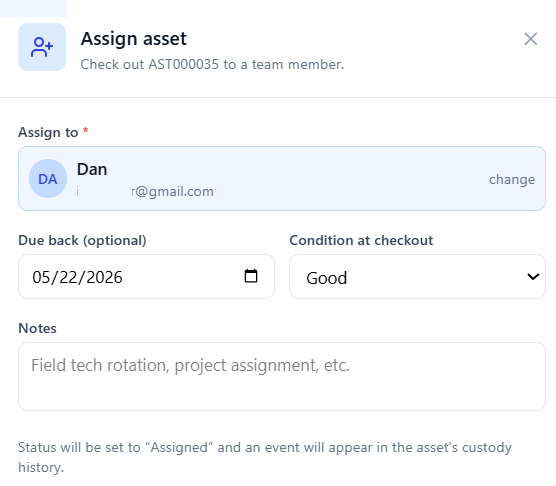
Guided workflows update ownership and status while preserving the history agents need when an asset appears in a ticket or service request.
Verify and govern
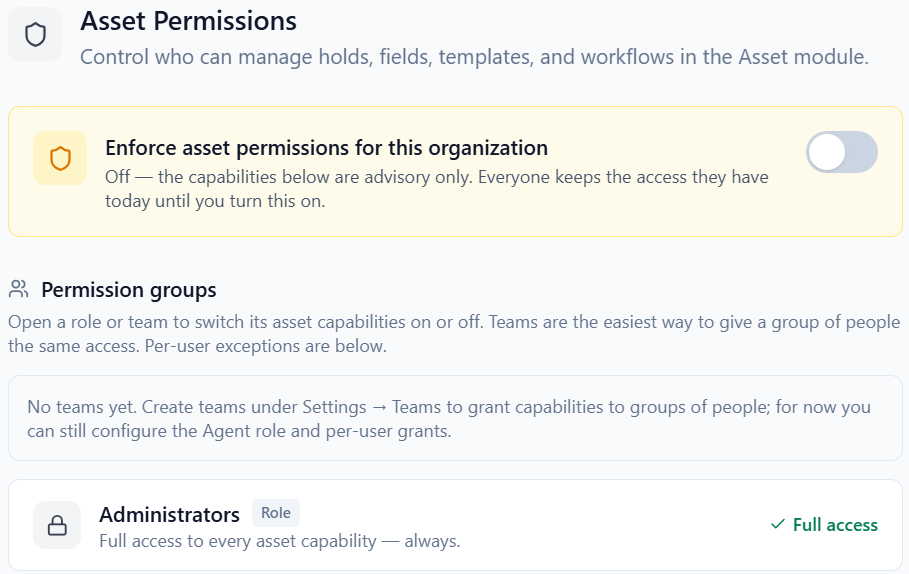
Use printable QR labels and batch audit scans to reconcile inventory. Apply compliance holds and asset permissions when legal, security, or audit requirements need stronger control.
Verified product scope
The core inventory, lifecycle, history, QR labels, and audit tools are available with the FyneDesk service desk. Business adds Microsoft Intune synchronization for managed devices.
Compare plansFrequently asked questions
Yes. FyneDesk includes asset inventory, assignment, status and custody history, custom fields, bulk import and export, QR labels, audit scans, compliance holds, and asset permissions. Microsoft Intune synchronization is a Business feature.
Yes. The import wizard accepts XLSX, XLS, and CSV files, maps spreadsheet columns to asset fields, previews the result, and lets administrators choose how duplicate asset tags should be handled.
Yes. Assets can be connected to tickets, service requests, changes, contacts, and projects so an agent can see the device, ownership, and service history in context.
Yes. Teams can print QR labels, select a batch of assets, scan tags during an audit, reconcile exceptions, and keep the result in the asset history.
Not today. FyneDesk supports direct entry, spreadsheet import, QR audit scans, and Microsoft Intune synchronization on Business. It does not claim network-wide agent or probe discovery.
Bring the inventory into the work
Start tracking equipment with the service desk, or talk with us about migrations, Intune synchronization, and asset governance requirements.
Free for up to 3 agents. No credit card required.