
Give everyday IT requests
a proper service desk.
Turn email and portal intake into owned incidents and service requests with linked assets, history, and clear next steps. Pro adds SLA controls and agent-reviewed AI Autopilot; Business adds governed workflows and eligible Auto Resolve.
Incident
VPN access failure
Queue
FyneDesk checks troubleshooting guides and similar resolved incidents before suggesting a fix.
Sound familiar?
An end user reports a printer issue in Slack. Someone mentions a VPN problem in passing. Nothing is tracked. Nothing is prioritised. Issues fall through the cracks.
Are you meeting response time commitments? Which incidents are about to breach? You do not know until a client or manager complains.
Who has which laptop? When does the warranty expire? Your spreadsheet was last updated three months ago. When an incident involves hardware, you are guessing.
You support five clients but all their requests land in the same inbox. No separation. No per-client reporting. No way to track SLA compliance by account.
VPN resets, access requests, and common incidents keep landing on the same technicians. Pro AI Autopilot drafts fixes from runbooks; Business Auto Resolve can close confident known issues.
What changes with FyneDesk
Every incident and service request gets logged, categorised, and assigned. Agents are organised into L1, L2, and L3 tiers with role-based access. Assets are linked to incidents so your team has full context when troubleshooting. SLA targets can be tracked in real time on Pro. And every action is recorded in a full audit trail for compliance and post-incident review.
Five features built for IT service management
Incident Intake
End users email the service desk and each message is logged as an incident or service request with a ticket number, priority, and assigned agent. This supports a structured IT service management process where every issue is captured, categorised, and tracked from first contact through resolution.
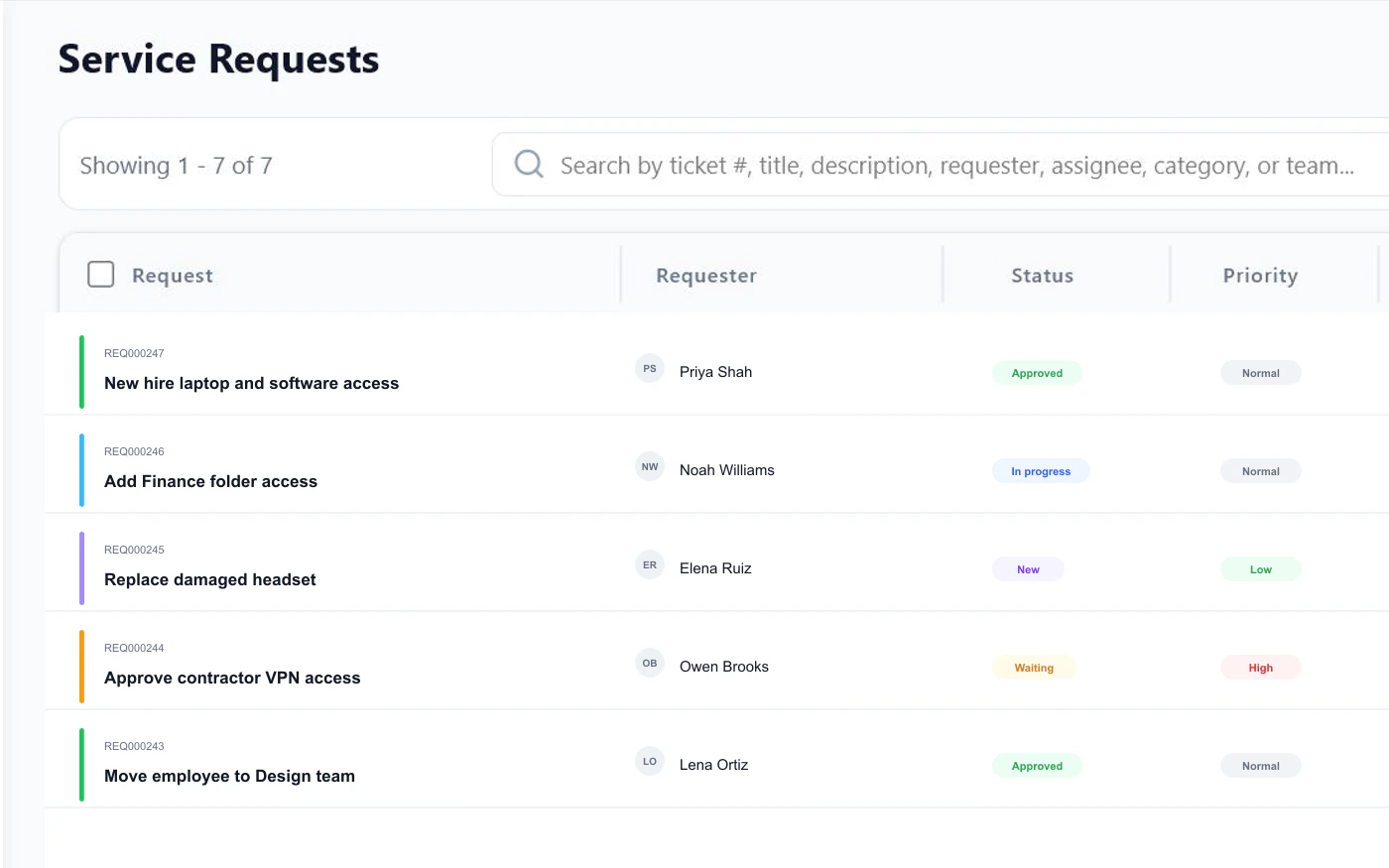
Tier and SLA Routing
Send network incidents to the network queue, device issues to desktop support, urgent outages to senior agents, and MSP client work to the right account. Route by priority, team, source, or SLA risk.
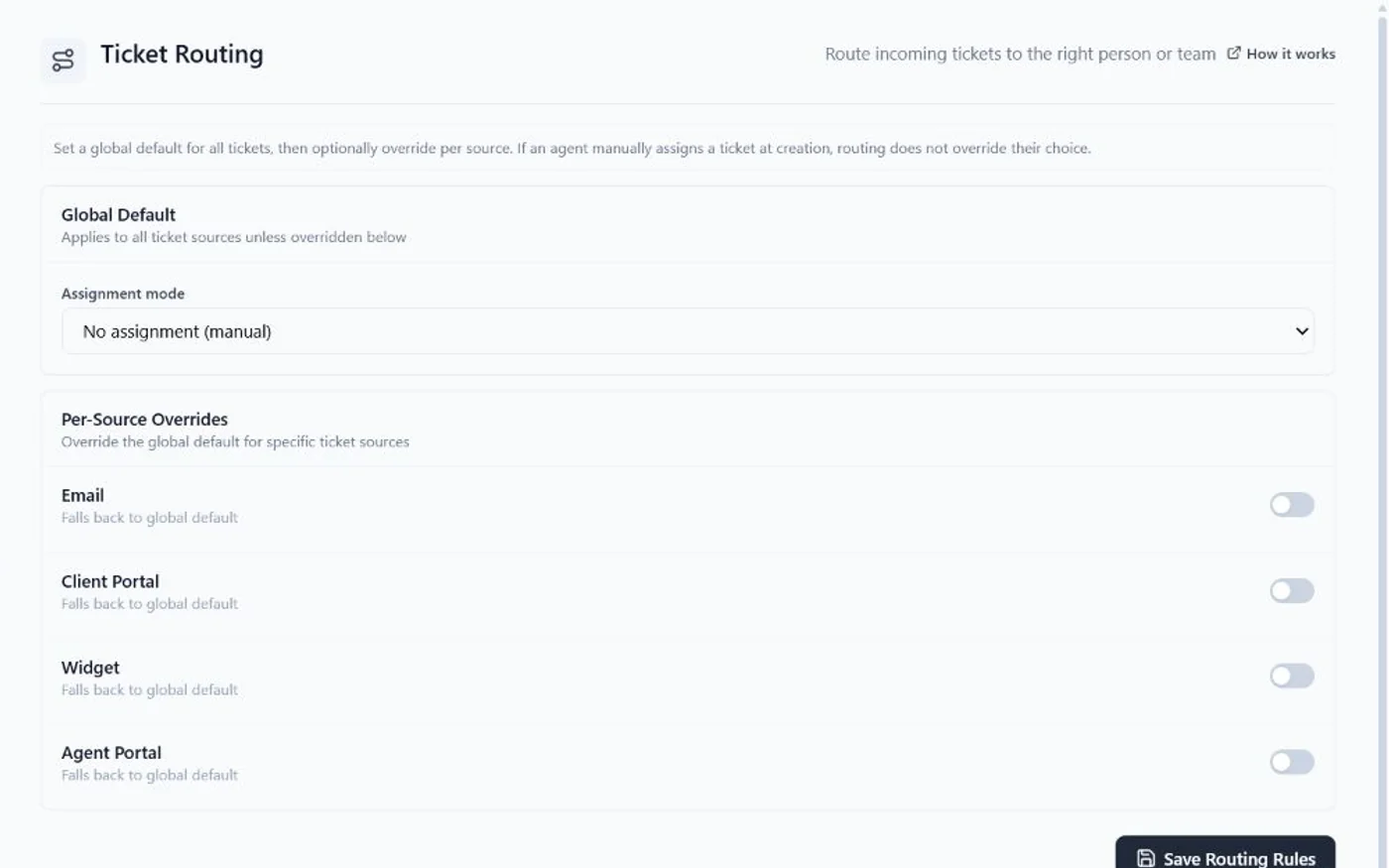
(Pro)
The Client Portal starts on Pro.
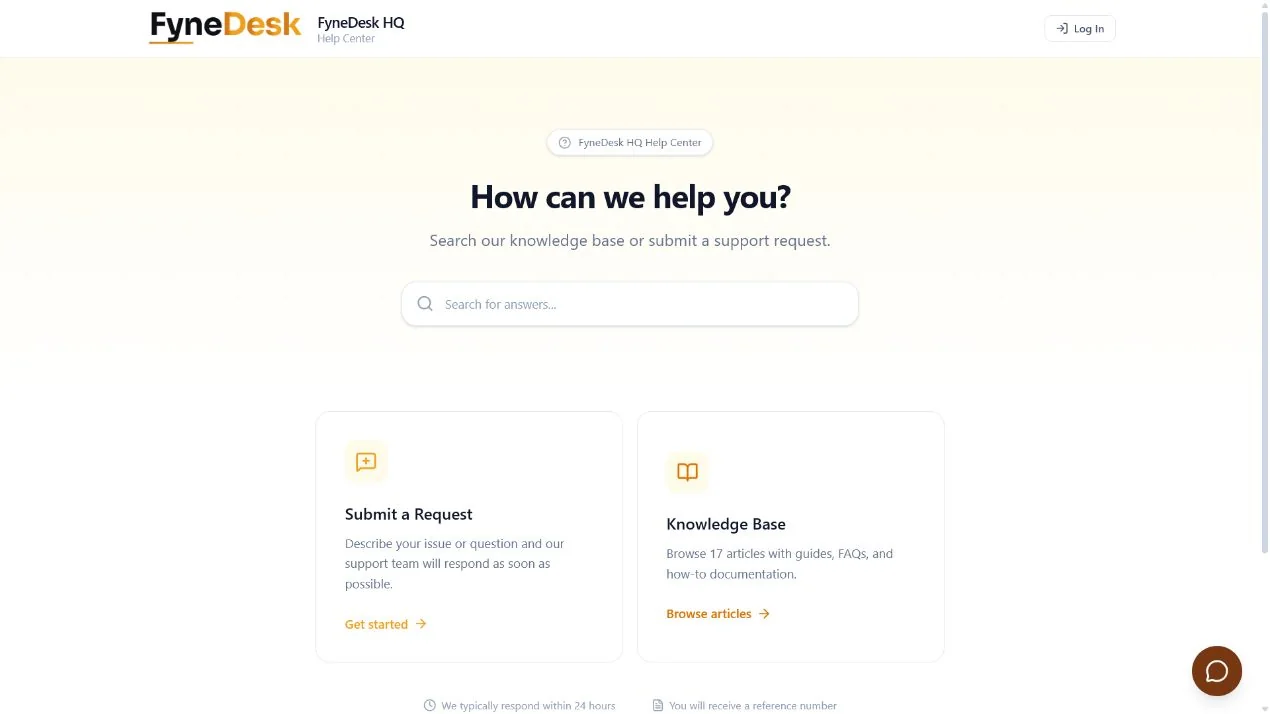
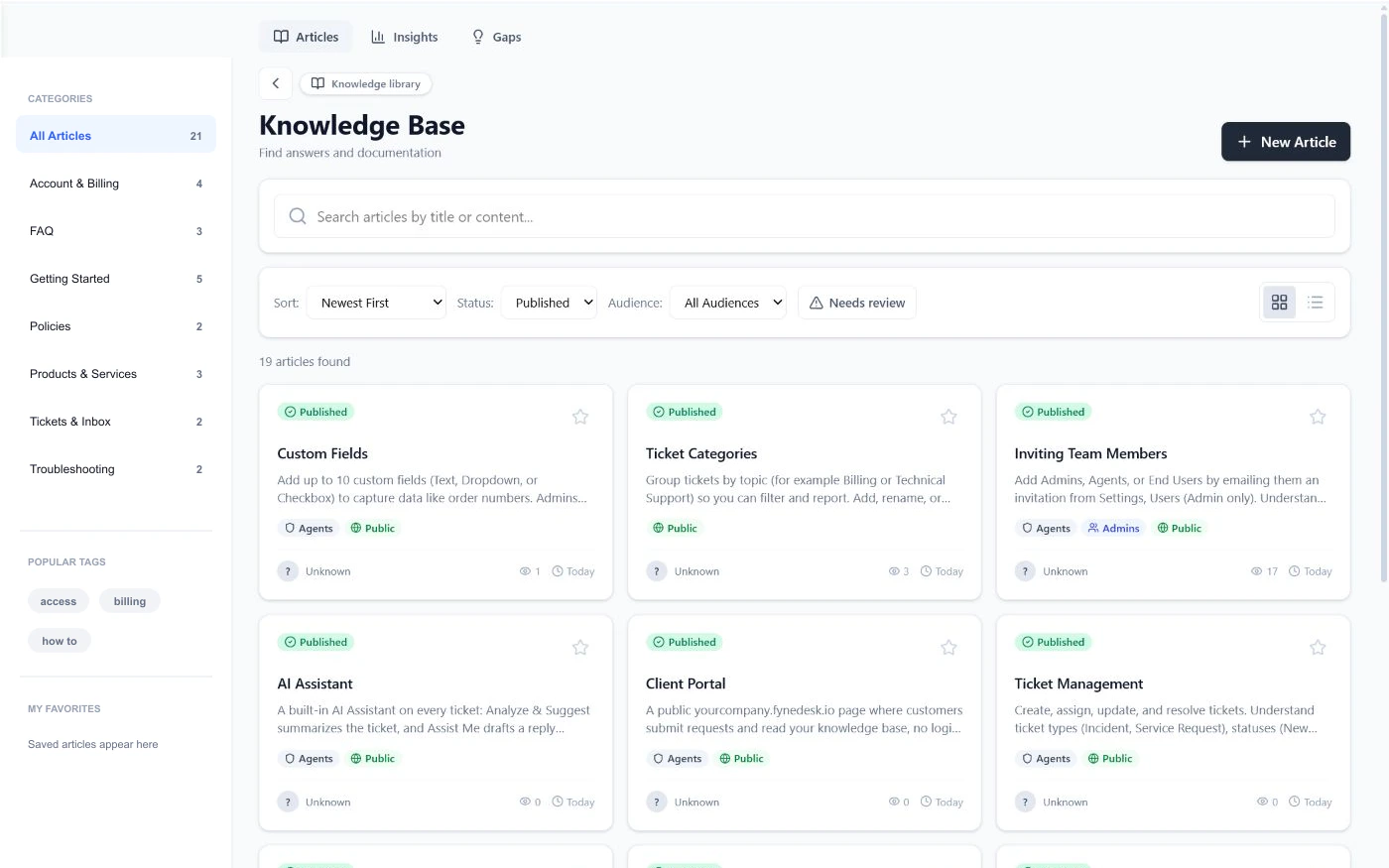
Runbook-Aware AI Fixes
AI summarises incident details, suggests resolutions from your knowledge base, and drafts replies. Agents resolve common issues faster and escalate complex ones with full context. Known error workarounds surface instantly.
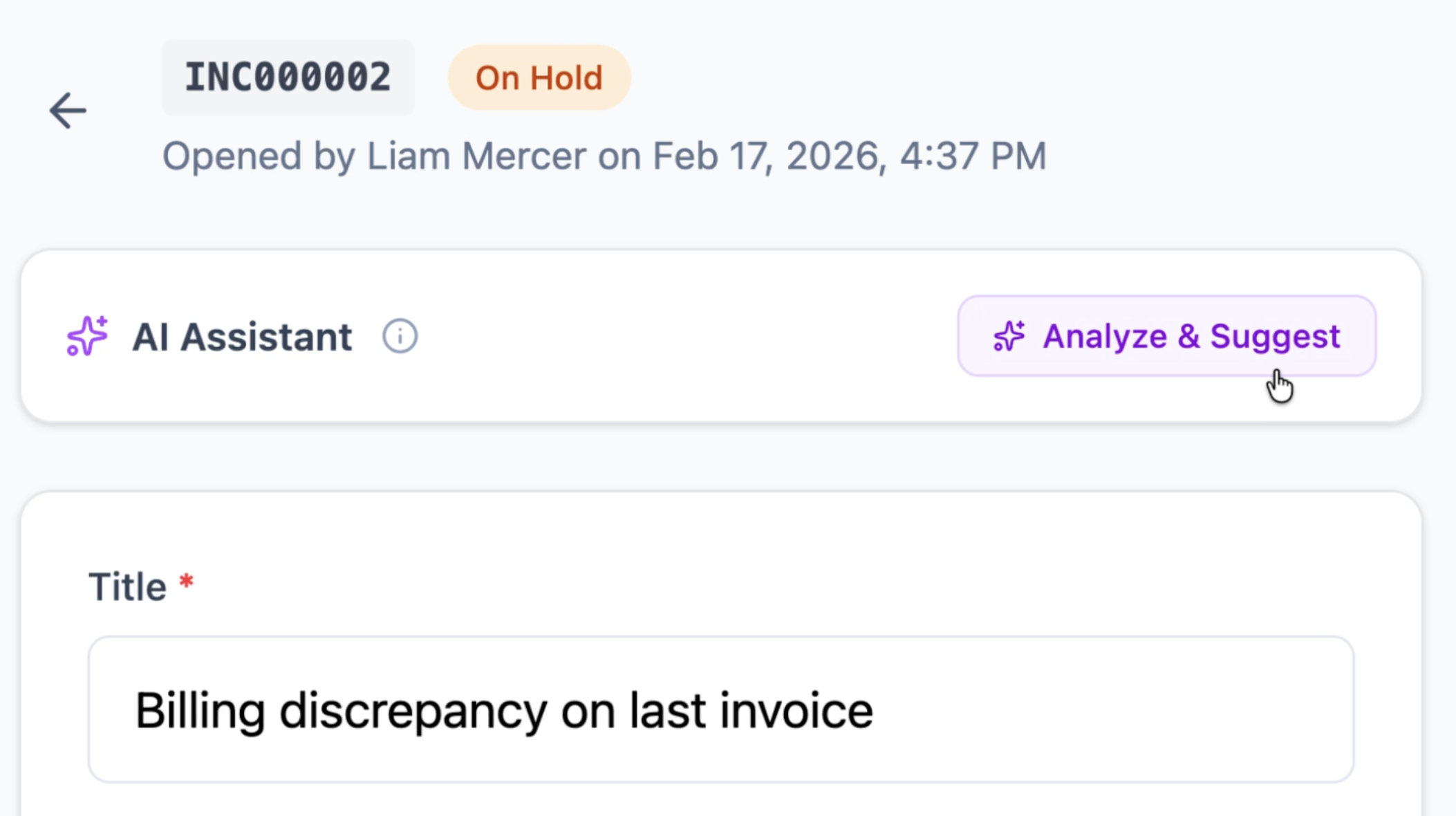
IT Runbook Library
Document VPN resets, MFA recovery, device setup, access procedures, and known-error fixes. AI uses approved runbooks plus past resolved incidents so suggestions match your real support history.
How it works
Incidents and requests come in
End users email the service desk, submit through the self-service portal, or use the widget on your intranet. Every item gets a ticket number, a priority, and an assigned agent.
AI and routing handle triage
Routing rules assign incidents to the right team or tier. AI summarises the issue, checks your knowledge base for known resolutions, and suggests a response so agents can act immediately.
Self-service keeps answers and status visible
End users search your IT knowledge base and check ticket status on the portal. Your dashboard shows open incidents, SLA compliance on Pro, resolution times, and agent workload.
Frequently asked questions
Does FyneDesk support ITIL service management practices?
FyneDesk supports workflows used in incident management, service request management, service level management, change enablement, knowledge management, and IT asset management. Teams choose how to configure and govern those practices. FyneDesk does not claim PeopleCert tool accreditation.
Can MSPs use FyneDesk for multiple clients?
Yes. MSPs can use FyneDesk to manage service requests across multiple client environments. The platform supports team-based routing, per-source assignment rules, and reporting across all tickets.
Does FyneDesk include asset management?
Yes. Track hardware, software licenses, warranty dates, and asset history. Link assets directly to incidents so agents have full context when troubleshooting.
How does FyneDesk handle SLA tracking?
On Pro, you set response and resolution time targets per priority level. FyneDesk tracks compliance in real time and flags tickets approaching or breaching their SLA deadlines.
Can end users submit their own tickets?
The Client Portal starts on Pro.
Does the AI cost extra?
There is no separate per-agent AI add-on. AI drafting starts on Free, Pro adds AI Autopilot for agent-reviewed fixes, and Business can use Auto Resolve for confident known issues.
Give your IT team a proper service desk
Start with tracked incidents and service requests, then add Pro SLA controls and Business workflow governance when the team needs them.
Free plan available.